Step 01: Introduction
Building a SaaS application is easy when the goal is simply to make the first version work.
The real challenge begins when users start depending on it.
Authentication needs to be secure. Database access needs to be controlled. Payments need to be reliable. APIs need clear boundaries. And the application should remain maintainable as the number of users, features, and developers grows.
When I build modern SaaS applications, I think about these concerns from the beginning rather than trying to solve them after the application becomes difficult to maintain.
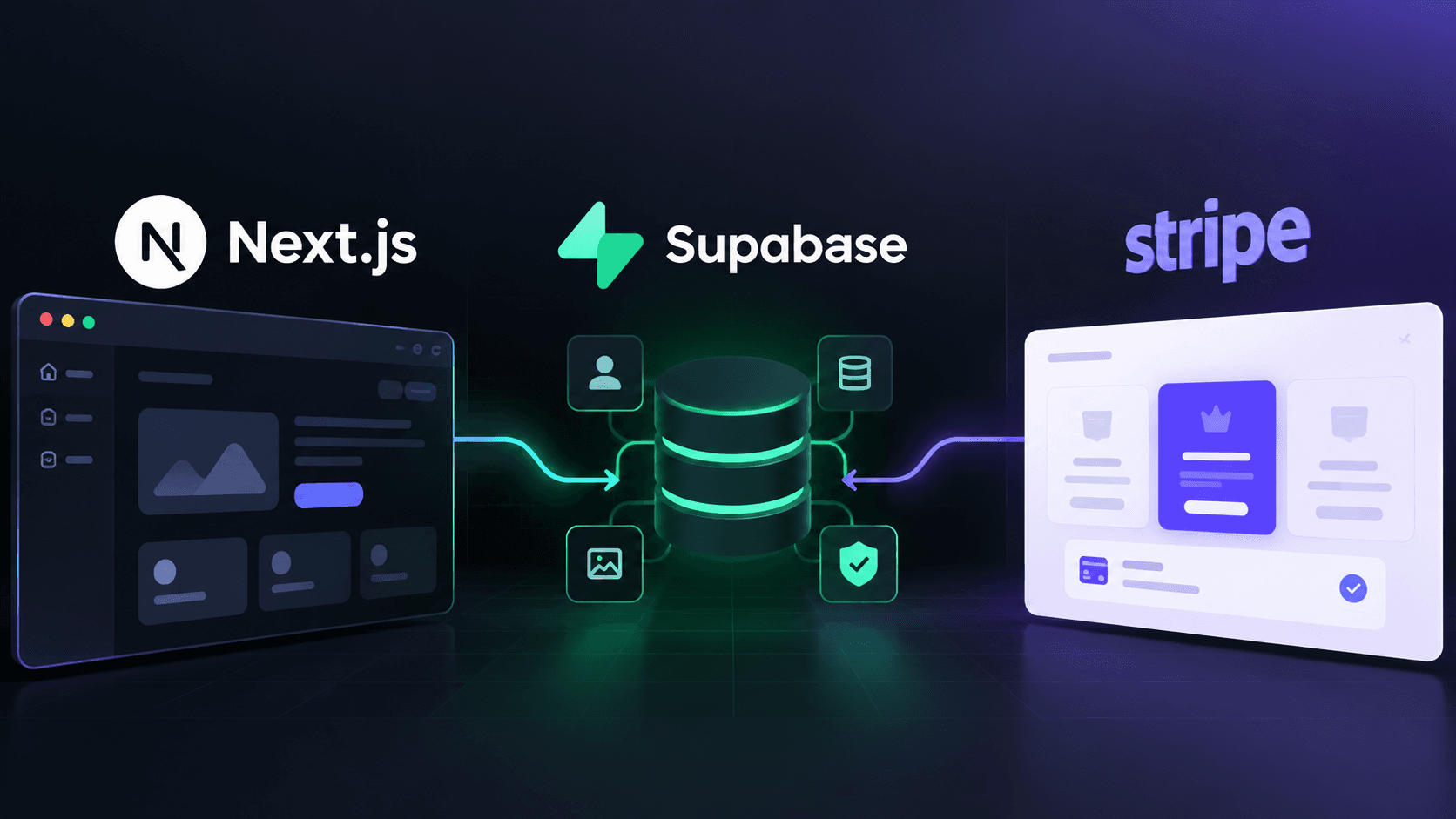
In this article, I'll walk through the architecture I use when building production-ready SaaS products with Next.js, Supabase, and Stripe.
Step 02: The Architecture at a Glance
A typical SaaS application can be organized into several layers:
Diagram The important part isn't simply choosing these technologies.
It's defining where each responsibility belongs.
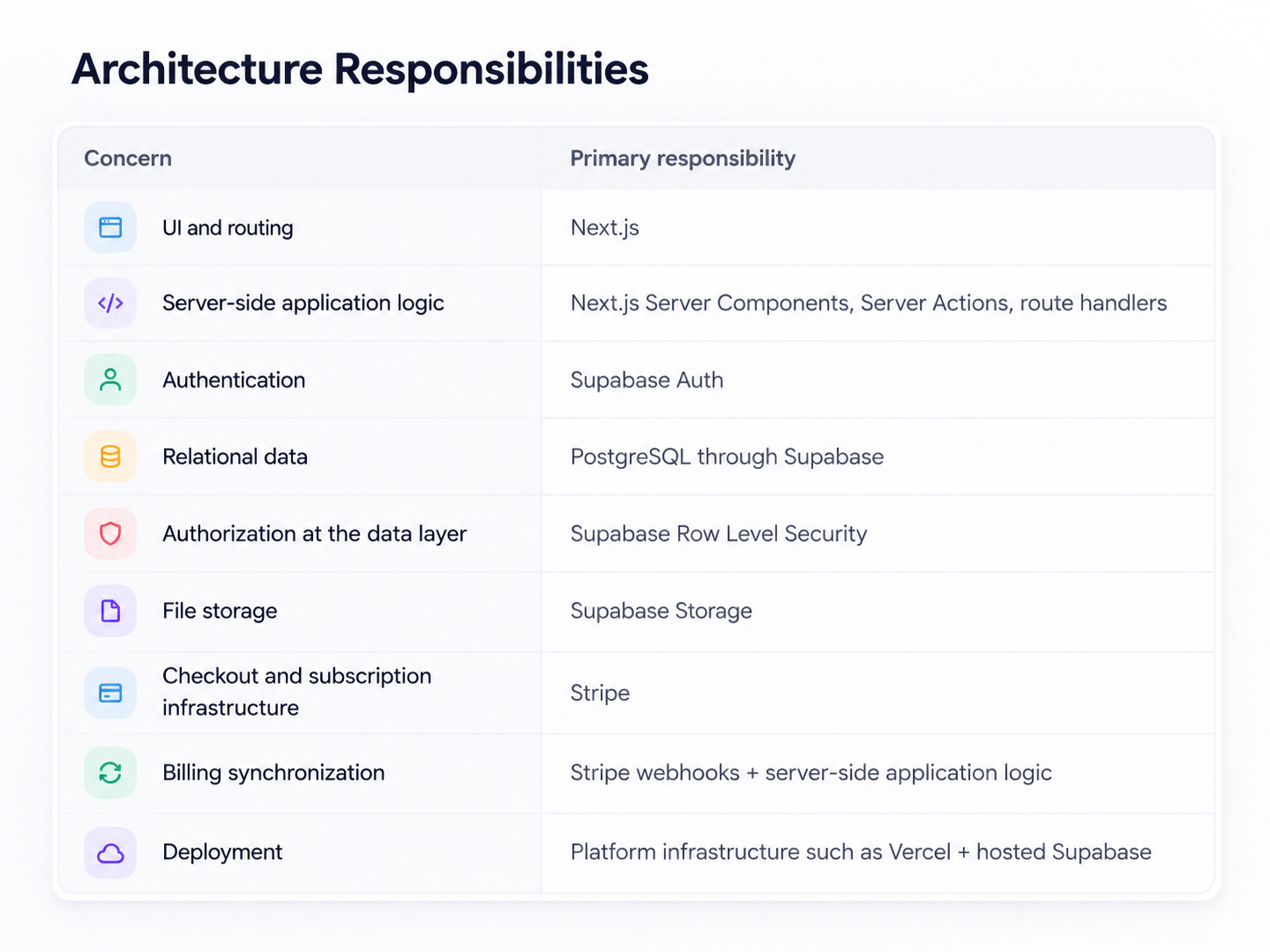
Step 03: 1. Why I Like Next.js for SaaS
For modern SaaS applications, the frontend and backend don't always need to be completely separate systems.
With the Next.js App Router, I can keep UI, server-side logic, routing, authentication flows, and API boundaries within a single application.
This reduces unnecessary complexity while still allowing the application to have clear architectural boundaries.
A typical project structure might look like:
textapp/ ├── (marketing)/ │ ├── page.tsx │ ├── pricing/ │ └── features/ │ ├── dashboard/ │ ├── page.tsx │ ├── settings/ │ └── billing/ │ ├── api/ │ ├── webhooks/ │ └── integrations/ │ ├── auth/ │ ├── login/ │ └── register/ │ components/ ├── ui/ ├── dashboard/ └── shared/ lib/ ├── supabase/ ├── stripe/ ├── auth/ └── utils/The exact structure changes from project to project, but the principle remains the same:
Keep related functionality close together while maintaining clear boundaries between responsibilities.
Step 04: 2. Server Components vs Client Components
One of the architectural decisions I consider early is deciding which parts of the application actually need to run on the client.
Not every component needs
"use client".For example, a dashboard page that primarily retrieves authenticated data can often remain server-rendered:
tsxexport default async function DashboardPage() { const user = await getCurrentUser(); const projects = await getProjects(user.id); return ( <Dashboard user={user} projects={projects} /> ); }Interactive elements such as filters, modals, drag-and-drop interfaces, or real-time client interactions can then become Client Components where necessary.
Diagram This approach helps keep the client bundle smaller and keeps sensitive server-side operations on the server.
Step 05: 3. Supabase as the Application Data Layer
For many SaaS products, PostgreSQL is a natural foundation because the application's data usually has relationships.
Users have organizations.
Organizations have projects.
Projects have members.
Members have roles.
Subscriptions belong to customers.
A relational database makes these relationships explicit.
Diagram Supabase provides several useful services around PostgreSQL:
- PostgreSQL database
- Authentication
- Row Level Security
- Storage
- Realtime functionality
- Database APIs
The key advantage for me is that these services can work together without requiring a large collection of unrelated backend services.
Step 06: 4. Security Starts at the Database
One of the biggest mistakes I see in application architecture is treating frontend authorization as security.
It isn't.
Hiding a button from a user doesn't prevent them from directly calling an API or attempting to access a database record.
That's why I consider Row Level Security (RLS) one of the most important parts of a Supabase architecture.
For example, imagine an application where users should only be able to access projects belonging to their organization.
The application shouldn't simply rely on:
textif (user.organizationId === project.organizationId)in the frontend.
The database should also enforce that rule.
Diagram This creates a second layer of protection even if an application-level check is accidentally missed.
Defense in depth
Layer Example responsibility UI Hide actions the current user should not normally use Server logic Validate user identity and business rules Database Enforce row-level access through RLS External integrations Verify signatures, secrets, and trusted callbacks Step 07: 5. Authentication and Authorization Are Different
Authentication answers:
Who are you?
Authorization answers:
What are you allowed to do?
A production SaaS application usually needs both.
Diagram A user might be allowed to view their own projects.
A manager might be allowed to manage team members.
An administrator might be allowed to manage billing, organization settings, and users.
I prefer keeping these permission rules explicit instead of scattering role checks throughout the application.
Step 08: 6. Designing the Billing Architecture
Payments are another area where SaaS applications need more than a simple checkout button.
Stripe can handle the payment infrastructure, but the application still needs to understand the subscription lifecycle.
Diagram The important part is the webhook.
I don't treat the browser redirect after checkout as the final source of truth.
Instead, Stripe's server-side events can update the application's subscription state.
Common examples include:
textcheckout.session.completed customer.subscription.created customer.subscription.updated customer.subscription.deleted invoice.payment_failedThe exact events required depend on the product, but the architectural principle remains:
Payment state should be synchronized through trusted server-side events rather than relying entirely on client-side state.
Step 09: 7. Keep External Services Behind Small Abstractions
As an application grows, external integrations can quickly become difficult to maintain.
Instead of calling Stripe everywhere:
tsxstripe.customers.create(...) stripe.subscriptions.create(...)I prefer creating a small service layer:
textlib/ ├── stripe/ │ ├── client.ts │ ├── customers.ts │ ├── subscriptions.ts │ └── webhooks.tsThe same principle can be applied to other integrations:
textlib/ ├── email/ ├── storage/ ├── payments/ ├── ai/ └── analytics/Diagram This makes it easier to change an implementation later without rewriting the entire application.
Step 10: 8. Don't Put Secrets in the Client
This sounds obvious, but it is still one of the most important rules in modern web development.
Private API keys, service-role credentials, webhook secrets, and other sensitive values should remain on the server.
For example:
envSUPABASE_SERVICE_ROLE_KEY=... STRIPE_SECRET_KEY=... STRIPE_WEBHOOK_SECRET=...These should never be exposed through client-side JavaScript.
Public / browser-safe Server-only UI state Secret keys Public configuration Privileged database operations Public API information Payment processing Non-sensitive identifiers Webhook verification Browser interaction logic Sensitive business logic Step 11: 9. Build for Multi-Tenancy Early
If you're building a SaaS product, there's a good chance the application will eventually need organizations, teams, or workspaces.
Designing for this early can prevent painful migrations later.
Instead of thinking only about:
textuser → projectyou may eventually need:
Diagram This also makes authorization and RLS policies easier to reason about.
A membership model gives you room for:
- roles
- invitations
- suspended access
- ownership transfer
- multiple organizations per user
- organization-level permissions
Step 12: 10. Performance Is an Architectural Concern
Performance isn't something I like to leave until the final stage.
Some decisions that can improve performance from the beginning include:
- Server-rendering content where appropriate
- Avoiding unnecessary Client Components
- Selecting only the database columns that are needed
- Adding appropriate database indexes
- Paginating large datasets
- Optimizing images
- Caching expensive requests
- Avoiding unnecessary API calls
- Lazy-loading expensive client-side functionality
Diagram The goal isn't to optimize everything prematurely.
The goal is to avoid architectural decisions that make optimization unnecessarily difficult later.
Step 13: 11. Error Handling Should Be Designed, Not Added Later
Production applications fail.
APIs time out.
Payments fail.
Users submit invalid data.
Third-party services become unavailable.
Instead of exposing raw errors, I prefer creating predictable error boundaries between layers.
Diagram A user doesn't need to know that a third-party API returned a specific internal error.
They need to know what happened and, when possible, what they can do next.
I like errors to answer three questions
- What failed?
- Can the user recover?
- What should happen next?
Step 14: 12. A Production SaaS Is More Than Its UI
A beautiful interface is important.
But a production application is much more than its frontend.
Diagram Layer Core responsibility UI Present information and collect user intent Application logic Coordinate business rules and workflows Authentication Establish identity Authorization Decide what that identity may do Database + RLS Store data and enforce row-level access Payments + integrations Communicate with external systems safely Deployment + infrastructure Run the application reliably When those responsibilities are clear, the application becomes easier to develop, test, secure, and scale.
Step 15: 13. My General Development Philosophy
Technology choices will change.
Next.js will evolve.
New database platforms will appear.
New AI and payment APIs will become available.
But good architectural principles remain useful.
When I start a SaaS project, I generally ask:
- Where does this data belong?
- Who should be allowed to access it?
- Which operations must happen on the server?
- What happens if an external service fails?
- What happens when the application has 10× more users?
- Can another developer understand this code six months from now?
- Can individual parts of the system be replaced without rewriting everything?
These questions are often more important than choosing a particular library.
Step 16: Production Readiness Checklist
Area Questions to verify Authentication Are sessions handled securely? Are protected routes actually protected? Authorization Are permissions explicit? Does the database enforce them too? Database Are constraints, indexes, relationships, and migrations intentional? Secrets Are privileged credentials server-only? Billing Is subscription state synchronized from trusted webhook events? Errors Are failures predictable, logged, and user-friendly? Performance Are large queries paginated and expensive work cached where appropriate? Multi-tenancy Is tenant ownership modeled explicitly? Integrations Are third-party SDKs isolated behind small interfaces? Maintainability Can another developer understand and modify the system safely? Step 17: Final Thoughts
A production-ready SaaS isn't created by simply combining Next.js, Supabase, and Stripe.
The real work is designing the boundaries between them.
Next.js can provide the application and user experience.
Supabase can provide authentication, PostgreSQL, storage, and database-level security.
Stripe can handle payment infrastructure and subscription events.
But the architecture connecting these services is what determines whether the application remains manageable as it grows.
My goal when building SaaS products is therefore not just:
"Make it work."
It's:
"Make it secure, understandable, maintainable, and ready to grow."
nextjssupabasestripesaas
How I Architect Production-Ready SaaS Apps with Next.js, Supabase & Stripe
A practical look at how I structure production-ready SaaS applications with Next.js, Supabase, and Stripe—from authentication and database security to subscriptions, APIs, and scalable architecture.
By Ahsan Habib October 1, 2026 7 min read
Keep exploring
View all posts Related posts
 Newsletter
Stay in the Loop
Occasional emails about new projects, blog posts, and what I'm building - no spam.